

If you've ever stared at a 4-hour V-Ray progress bar at 11 PM hoping the GI doesn't crash on the last frame — and you've also clicked an "AI render in seconds!" demo and watched it turn your nicely modeled stairs into a concrete ramp — you know exactly the gap this post is about. AI rendering for SketchUp grew up fast in 2026. Some of it works. Some of it still hallucinates a wall where you put a window. This is a field test of the four plugins that actually matter, written for the architect who needs renders for a client meeting on Thursday — not a tech demo for X.
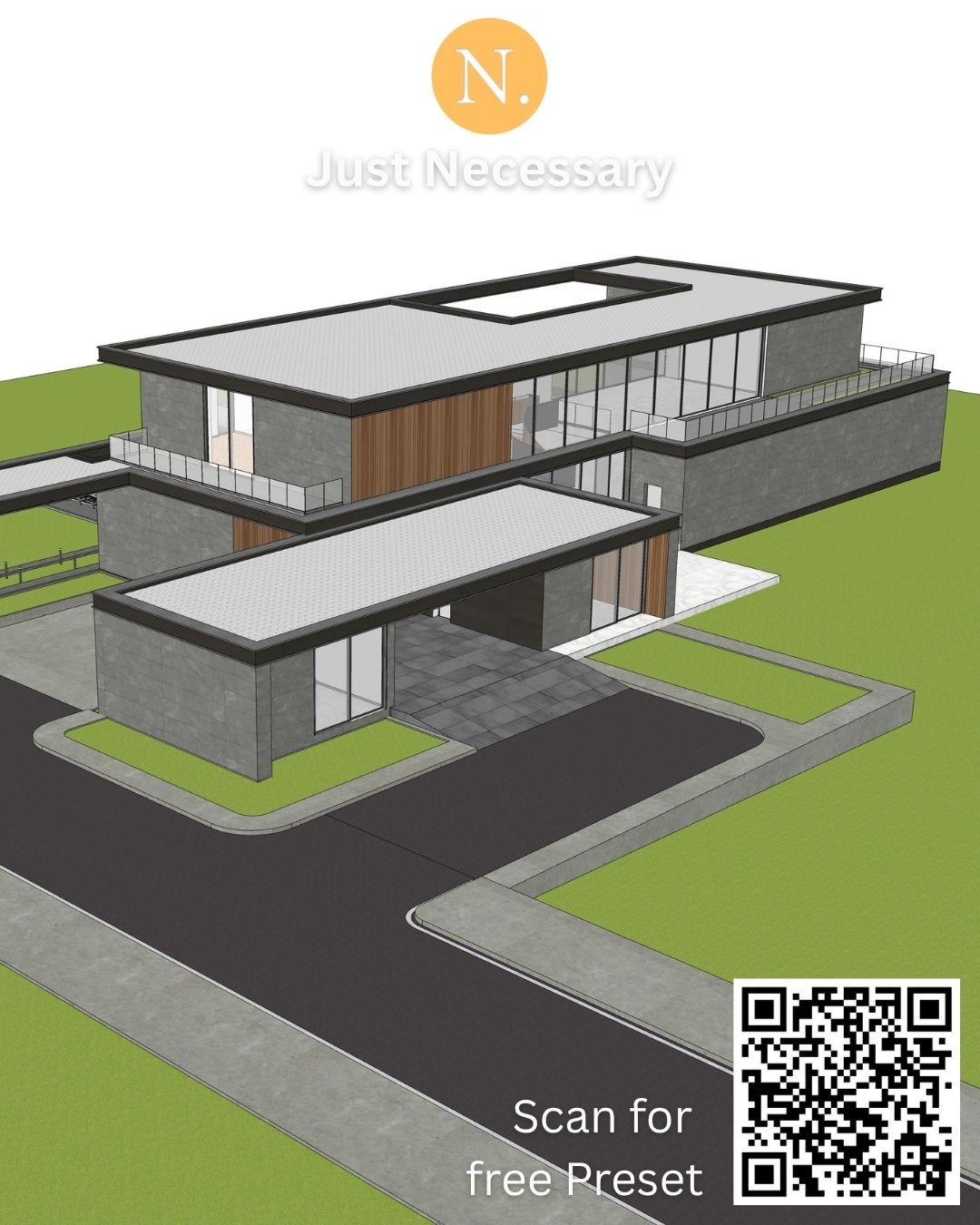
0I tested four AI rendering tools that plug into SketchUp 2026: SketchUp Diffusion (built-in, free with your license), D5 Lite (real-time, in-viewport), Veras (the Chaos one, geometry-respecting), and Arko (cheap, prompt-driven). Same model. Same camera. Same lighting brief. I'll show you where each one shines, where each one falls apart, and what to actually pay for.
This is post #7 in our SketchUp series. Bring coffee. We're going deep.
Why this test, and why now
Two things happened in 2026 that made this comparison worth doing.
First, SketchUp Diffusion graduated from the [LABS] sandbox and shipped as a real, license-included feature. Every SketchUp Pro subscriber now has an AI renderer built into the app. That alone shifts the calculus — for client-facing concept work, the question is no longer "should I add an AI plugin," it's "is the one already in the app good enough."
Second, the third-party AI tools — D5 Lite, Veras, Arko, MyArchitectAI — finally crossed a quality bar where the output is usable, not just impressive on Instagram. They're producing renders that wouldn't get me laughed out of a schematic-design review. That wasn't true a year ago.
So I built one test scene: a small Modern Hill House exterior — three-bay villa, flat roof, large openings, terrace with planter — modeled in SketchUp 2026 with proper components, tagged geometry, no reversed faces. (Yes, I checked. Don't ask how I know.) Same model went through every plugin. Same prompt where prompts apply: "Modern villa, late afternoon, golden hour, photoreal, soft sky, lush landscaping."
The grading rubric: how close to the SketchUp geometry the render stays, how usable the materials are, how fast it produces something I'd actually send to a client, and how much it costs per month if I were paying for it myself.
Let's go through them.
SketchUp Diffusion — the one that's already on your desk
The pitch: you're already paying for it.
Diffusion lives inside SketchUp 2026 as a side-panel plugin. Pick a style preset (modern, sketch, watercolor, photoreal, etc.), type a short prompt, click Generate, wait 15–30 seconds. Out comes a 1024×768 image based on your current viewport.
When it works, it's lovely. The "watercolor" and "loose sketch" presets are genuinely the best in the field for early-design moodboarding — they capture the feel of a hand-drawn presentation without the time cost. For week-one client meetings where you're pitching a vibe, this is the fastest path from massing model to "client says yes" I've ever used.
When it doesn't work, it fails in ways that matter.
The big one: Diffusion does not respect your geometry the way you'd expect. Real talk: I generated my villa twelve times. In four of those, the AI invented an entirely new building. In three, the front stairs became a ramp. In two, the second-floor windows collapsed into solid wall. The output is a prompt-influenced reinterpretation of your viewport, not a faithful render of your model. For early concept work, that's fine — sometimes even helpful. For client presentations of an actual designed building, it's a problem.
Best for: schematic-design moodboards, fast atmospheric variations, the "what if this were a watercolor" test.
Pro tip: lock the camera to a wide-angle establishing shot before generating. Diffusion handles overall massing better than detail shots — close-ups of windows or doors get hallucinated worse.
Watch out for: materials. The driveway-vs-grass distinction is genuinely hard for Diffusion to get right, even when you've explicitly painted asphalt and grass with distinct, contrasted SketchUp materials. Don't use this for anything where material accuracy matters.
Cost: included in SketchUp Pro. Free if you already have a subscription.
D5 Lite — the one that actually feels like a renderer
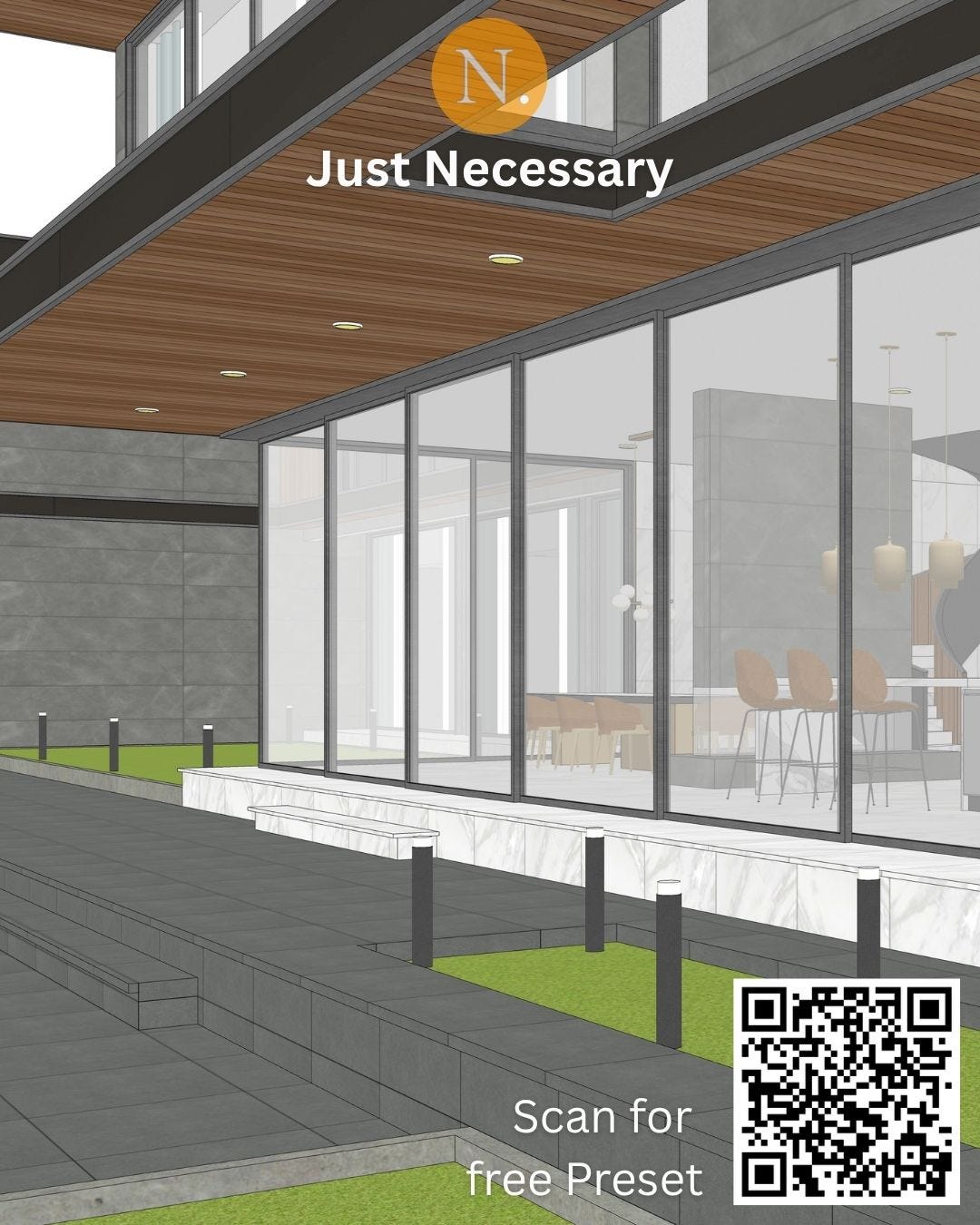
D5 Lite runs as a sidebar plugin that opens a real-time D5 engine right inside the SketchUp viewport. Move your camera, the render updates. Drop a sun position, the render updates. Change a material, the render updates. It's the workflow Lumion LiveSync users have been wanting from a built-in path-traced engine for years.
The AI part: with a click, D5 generates several styled variations of your current viewport — keeping the geometry locked, varying things like sky mood, time of day, vegetation density, and material treatment. This is the difference that matters. Where Diffusion treats your model as a suggestion, D5 Lite treats your model as the ground truth and uses AI for atmosphere.
The result: I got a usable schematic-design render in under 90 seconds. Not "draft for review" usable — send to the client usable. The villa stayed a villa. The stairs stayed stairs. The windows stayed windows. The afternoon-to-blue-hour variation gave me three completely different moods of the same project, all with the same building.
Best for: mid-design renders where geometry must be respected and you need quick mood variations for a client conversation. The "show three options, let them pick" workflow.
Pro tip: bake your sun position in SketchUp first using the Shadow Settings dialog. D5 Lite reads SketchUp's sun, and a wrong shadow azimuth in your scene will fight the AI atmosphere choices. (Future-you will thank present-you.)
Watch out for: the free plan is generous for solo use, but it watermarks high-resolution exports and limits the number of AI variation generations per day. If you're doing client work, the $30/month tier pays for itself the first time you skip a Lumion render.
Cost: free plan available; $30/month for full features.
Veras — the geometry purist
Veras is from EvolveLAB, distributed through the Chaos family (so yes, the V-Ray people). Its design philosophy is the geometry is sacred. You give it a viewport. You give it a prompt. It paints over your viewport — but it cannot move walls, invent windows, or turn stairs into ramps. It's a controlled image-generation pipeline that uses your model as a depth map and edge map, not as a suggestion.
This is the AI tool you'd choose if you wanted to send a client an image and have them point to a window in the render and say "I love that one" — and trust that the same window exists in your CD set.
The output, in my test, was the most photoreal-leaning of the four. Veras leans hard into materials and lighting realism over stylization. The villa rendered with the right windows in the right places, the stair was a stair, the roof terrace was the roof terrace. Where Veras struggled: the landscape elements (planters, trees) got generic — the AI invented species and arrangements that didn't match what I'd modeled.
Best for: mid-to-late design renders where the building must read as the real designed building, not an AI's reinterpretation. Particularly strong if you also use V-Ray and want a fast pre-render before committing GPU hours.
Pro tip: model your hardscape and tag it with a simple flat material before sending to Veras. The AI handles "concrete pavers" much better when the underlying SketchUp geometry already reads as paving — even if the SketchUp material is just gray.
Watch out for: material override in Veras is prompt-based, which means you can ask for "warm wood cladding" but you can't guarantee it. For renders where a specific material spec matters, you'll still want a traditional renderer with V-Ray's actual material library.
Cost: subscription pricing varies by tier; expect to pay for the geometry-respecting workflow. Plan for $40–60/month for production use.
Arko — the prompt-driven budget pick
Arko is the most "prompt engineering" of the four. You give it a viewport, you write a prompt, you optionally write a negative prompt ("no people, no cars, no clutter"), and you get a render in roughly 30 seconds. It works for both interior and exterior models.
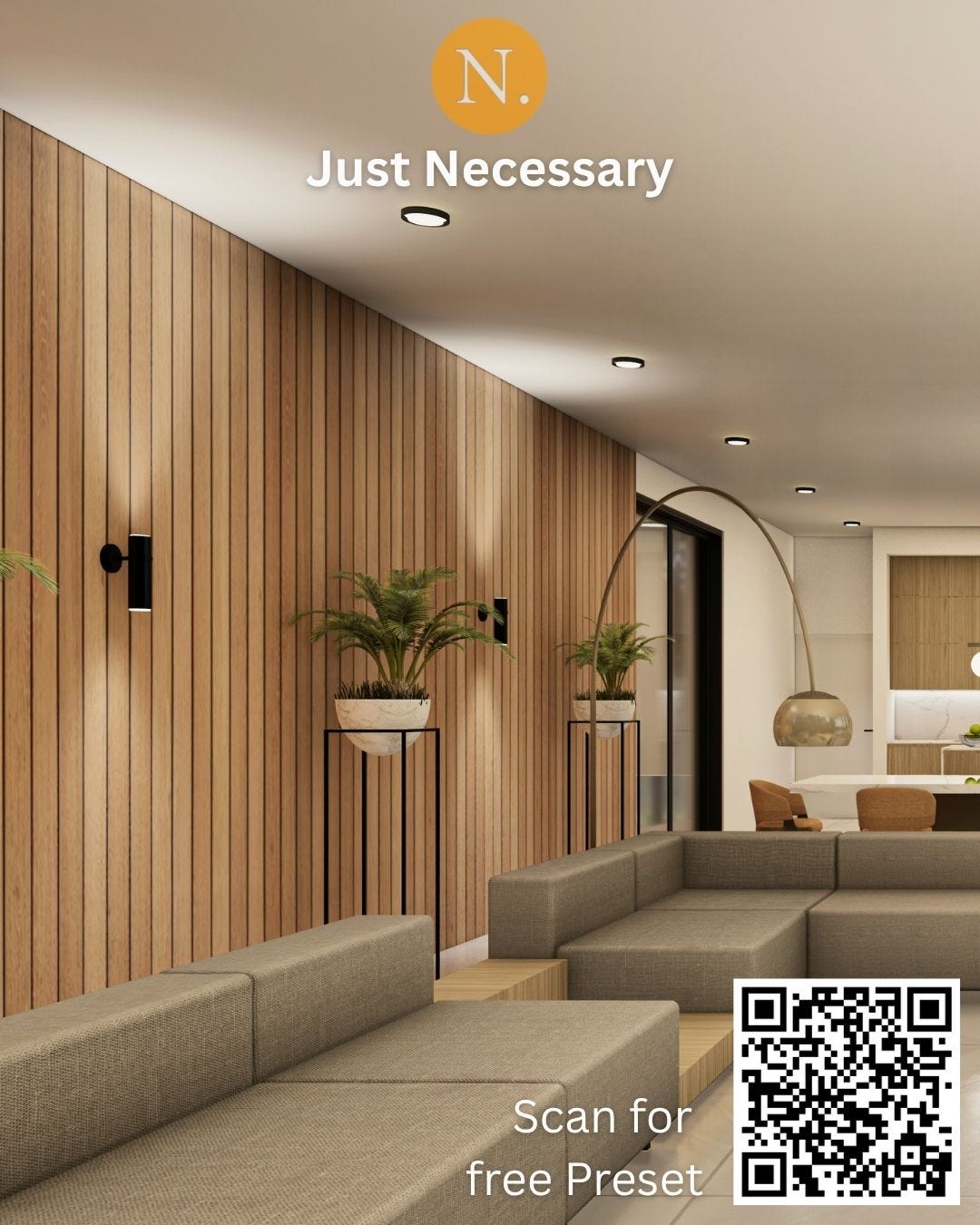
The output quality is genuinely good for the price. In my test scene, the front-elevation render came back faithful to the massing, with reasonable material guesses and a believable golden-hour sky. Where Arko shines: interior scenes. The interior shots of the villa came out warmer and more atmospheric than D5 Lite's first pass, with more inventive lighting interpretations. (Not always correct lighting, but good-looking.)
Where Arko falls down: the geometry fidelity is between Diffusion and Veras. Mostly faithful, occasionally drifts. I watched it turn a flat parapet into a low railing on one generation — small change, technically wrong, would survive a quick client glance but not a CD review.
Best for: budget-conscious solo practitioners who do a lot of interior or schematic-design work and want fast moodboard variations.
Pro tip: the negative-prompt field is the secret weapon. Write down the things AI tools commonly hallucinate into your scenes — "no people, no cars, no power lines, no signage, no balloons" — and prepend them as a saved snippet. Yes, balloons. Don't ask how I know.
Watch out for: Arko's free trial is short. The $25/month tier is the entry price for serious use.
Cost: $25/month, free trial available.
Side by side: which one for which job
If you do schematic-design moodboards and your clients are excited by atmosphere — Diffusion is free in the box, use it. Skip the upgrade until you hit its limits.
If you do mid-design client meetings where you need three mood options of one building, fast — D5 Lite is the workhorse. The free tier covers a lot.
If you do late-design photoreal renders and the geometry must be exactly your building — Veras is the only AI tool I'd send to a CD review. (Or skip AI entirely and run V-Ray. Both are valid.)
If you do interior moodboards on a tight budget — Arko's interior outputs are surprisingly strong for the price.
The one thing none of them are good at, yet: technical material accuracy. If you need a specific Cosentino quartz countertop or a specific Equitone fiber-cement panel to read correctly — go to a traditional renderer with that manufacturer's actual material download. AI is great for atmosphere and bad for spec.
A workflow that actually works in 2026
Here's the workflow I've landed on after four months of testing:
Massing-stage moodboard — SketchUp Diffusion's watercolor preset. Fast, atmospheric, sells the vibe. Free.
Schematic-design client meeting — D5 Lite, three variations of one viewport. Geometry stays put. Mood varies. Conversation gets sharp fast.
Design-development "is this the building?" review — Veras. Lock the geometry, render the front elevation with materials prompts, present alongside the SketchUp model.
Late-design photoreal hero shot — V-Ray or D5 (the full one, not Lite). AI is no longer the right tool. You want the spec library and the GPU time.
Construction documents — LayOut. (AI has no place here. Yet.)
Your mileage will vary. The point isn't that this ladder is right — the point is that each of these tools is right for one specific job, and the practices that win in 2026 are the ones that match the tool to the design phase, not the ones that pick a single AI plugin and try to make it do everything.
The bottom line
AI rendering for SketchUp in 2026 is real. It's not all hype. D5 Lite is the single most useful one for working architects right now — fast, geometry-respecting, mood-flexible, fairly priced. Diffusion is the freebie everyone should at least try for early-stage work. Veras is for the geometry purists. Arko is for the budget interior workflow.
What hasn't changed: a clean, well-modeled, properly tagged SketchUp file produces better AI renders than a messy one. Yes, this happens to everyone — bad geometry in, bad render out. AI does not save you from the discipline of building a clean model.
Don't ask how I know.
Subscribe for weekly SketchUp deep-dives — plugin reviews, workflow tests, and the small habits that pay back the loudest.
🎁 Free Gift & Our Community
Free Lumion Render Preset: portfolio.hotrongnhan.org
Struggling to make your renders stand out? Discover the secret to faster design and stunning visuals with our all-in-one Modern Hill House 3D Model Package! 🚀
👉 Download the full package here: Modern Hill House Exterior Scene with Full Furniture (CGTrader)
Don't miss this incredible opportunity to unlock your creative potential and bring your architectural visions to life with Lumion.
Follow Us for More Tips and Tricks:
📷 Instagram: @just.necessary.lumion
🔵 Facebook: Just Necessary Lumion